AI YouTube Thumbnail Template
Expressive face, big three-word text and high contrast, made for small screens.
- Image
- Real people
- about $0.15 in AI credits
What it is
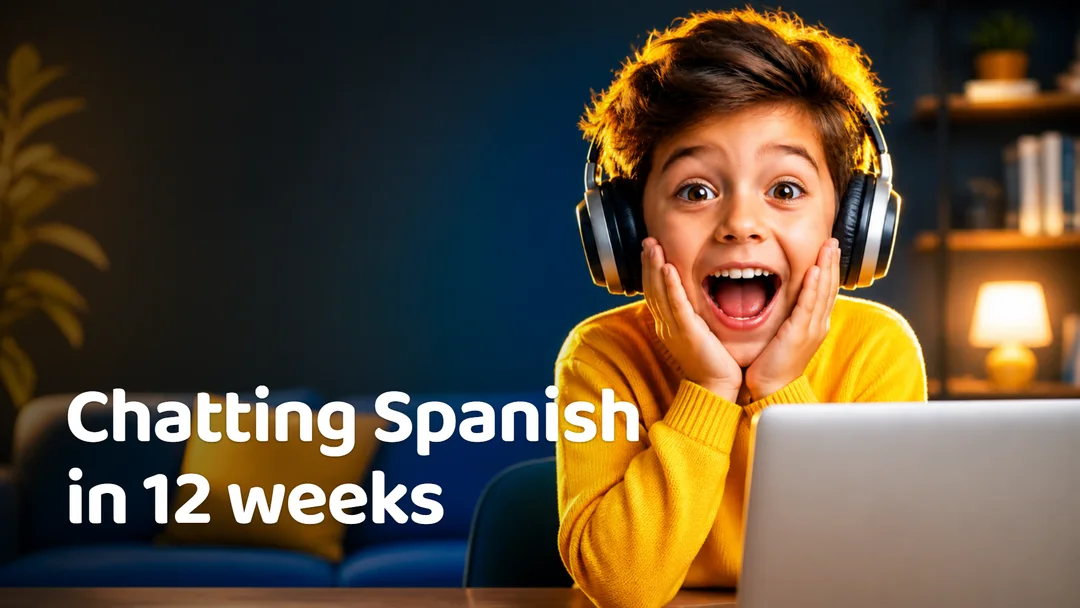
A 16:9 thumbnail with a person showing a strong reaction, the subject on the right and three or four huge words.
When to use it
Thumbnails for tutorials, reviews and brand videos on YouTube.
Why it works
Thumbnails win on faces, contrast and very few words that are readable at phone size.
How it plays
- thumbnail: The reaction and the subject. Headline of at most 4 words, curiosity without clickbait.
The hook: Curiosity in four words.
How OpenPromo makes it
AI photo. Made with GPT Image 2. It suits education, software, creators, any businesses. The writer takes every fact from your website, so prices, products and reviews are yours, and you approve the script before anything is made.
Questions
How much does the youtube thumbnail template cost to make?
Each one costs about $0.15 in AI credits, paid at cost with your own key. OpenPromo adds no markup. Writing the script is a few cents, and you see it before anything is made.
Changing the text and rendering again costs nothing.
Do I have to write the script?
No. Add your website and OpenPromo reads it: what you sell, your prices, your reviews, your colours and fonts. The writer fills the template from that, and you can edit every scene, or give it an angle such as a product or an offer.
Which AI models make it?
GPT Image 2. They were picked in a side-by-side test of the image, video and voice models available, on quality for the price.