Banner Maker
Link banners, ad banners and profile headers in your brand.
Make link and ad banners (1200×628), X headers (1500×500) and LinkedIn banners (1584×396) from the same brand profile.
Examples
Banner maker examples at exact sizes
A link banner, an ad banner, an X header and a LinkedIn banner for the same brand. Made with OpenPromo’s templates for Crumb & Co, a fictional bakery.
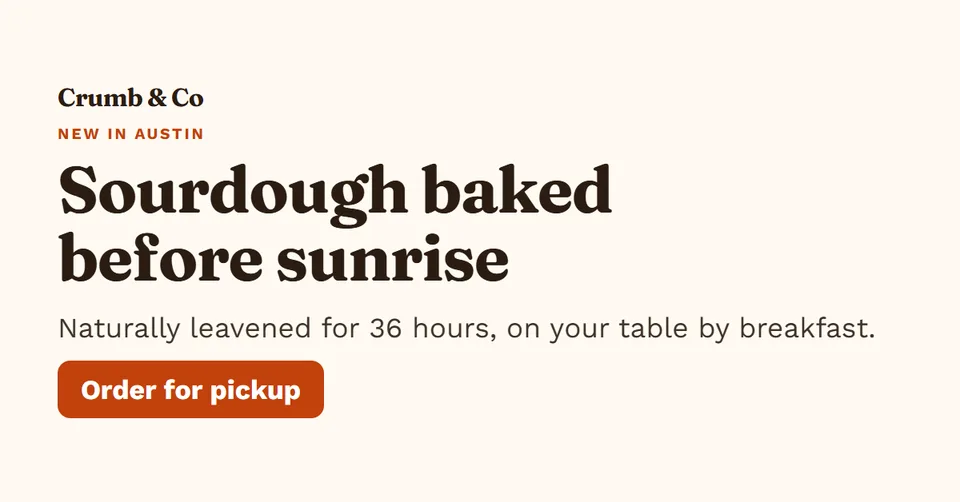
Link / ad banner · 1.91:1 · 1200×628 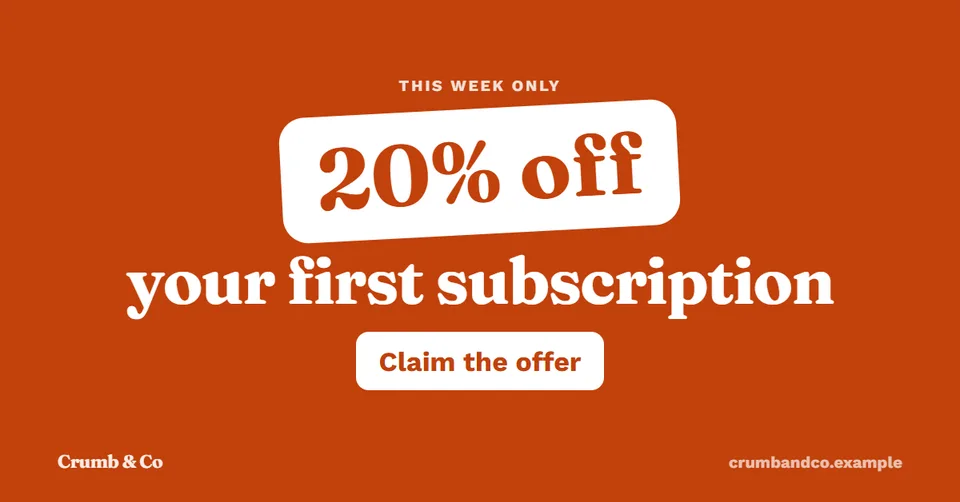
Link / ad banner · 1.91:1 · 1200×628 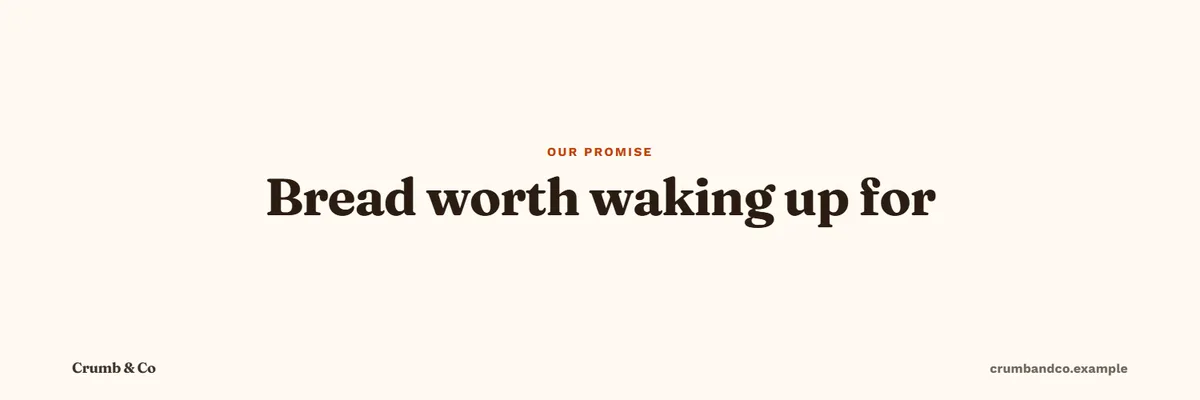
X header · 3:1 · 1500×500 
LinkedIn banner · 4:1 · 1584×396
How it works
How the AI banner generator works
- 1
Say what the banner is for
An offer, a launch or your profile header. Or start from a post you already made.
- 2
It fits the wide format
Wide layouts keep the headline short and leave room around the logo.
- 3
Check and edit
Hype words and figures not found on your website are flagged. Edit with a live preview.
- 4
Render the sizes you need
Render the same banner at another size in one click.
What you can do
Banner maker features
Link and ad banners
1200×628 for Facebook and LinkedIn ads and link previews.
X header
1500×500, with the text kept clear of the profile picture area.
LinkedIn banner maker
1584×396 for a profile or company page.
Offers that stand out
The offer layout puts the deal in large type with a clear call to action.
What it costs
Banner maker cost
OpenPromo charges nothing. AI calls are billed to your own YepAPI key at YepAPI’s prices, shown here at the time of writing. Settings and usage lists every call with its cost.
| Action | Price | |
|---|---|---|
| Write a bannerOne writing call | One writing call | $0.02 – $0.08 |
| RenderPNG at any banner size | PNG at any banner size | $0 |
| AI backdrop pictureOptional | Optional | $0.04 – $0.20 each |
OpenPromo is an early project in active development. Parts of what this page describes may change.
Your AI key
Start with $5 of free AI credit
The AI work in OpenPromo (reading your site, writing, voices, music and AI pictures) runs on your own YepAPI key. Sign up at YepAPI and get $5 in free credit, for a limited time. That is enough to try every tool.
- 1
Sign up at YepAPI
New accounts get $5 in free credit, for a limited time.
- 2
Copy your API key
It is on your YepAPI dashboard once you sign in.
- 3
Paste it into OpenPromo
In Settings. Set a monthly spending limit there too.
The free credit is YepAPI’s limited-time offer and may end. After it, you pay YepAPI per use at its price. OpenPromo logs every call with its cost, and a monthly limit caps what you spend. See pricing
Banner Maker FAQ
Which banner sizes are supported?
1200×628 for link and ad banners, 1500×500 for an X header and 1584×396 for a LinkedIn banner. Posts and stories have their own sizes.
Can I make ads with it?
You can make ad images at the common link-ad size. OpenPromo does not run or buy ads; you upload the image to your ad account.