Open source · MIT license · Self-hostable
Open‑source AI marketing tool
Add your website. OpenPromo reads it, builds your brand profile, and turns it into posts, carousels, banners, reels and promo videos in your own fonts and colors. Run it on your own server, keep your data, and set your own spending limit.
Or see every feature, with examples.
- Open-source license
- MIT
- Docker command to self-host
- 1
- Image and video sizes
- 7
- MCP tools for your AI agent
- 18
How it works
How the AI marketing tool works
Nothing starts from a blank prompt. Every tool works from a brand profile built from your own website.
- 1
Add your website
OpenPromo opens a handful of pages in headless Chrome, takes screenshots and reads what your business says about itself.
- 2
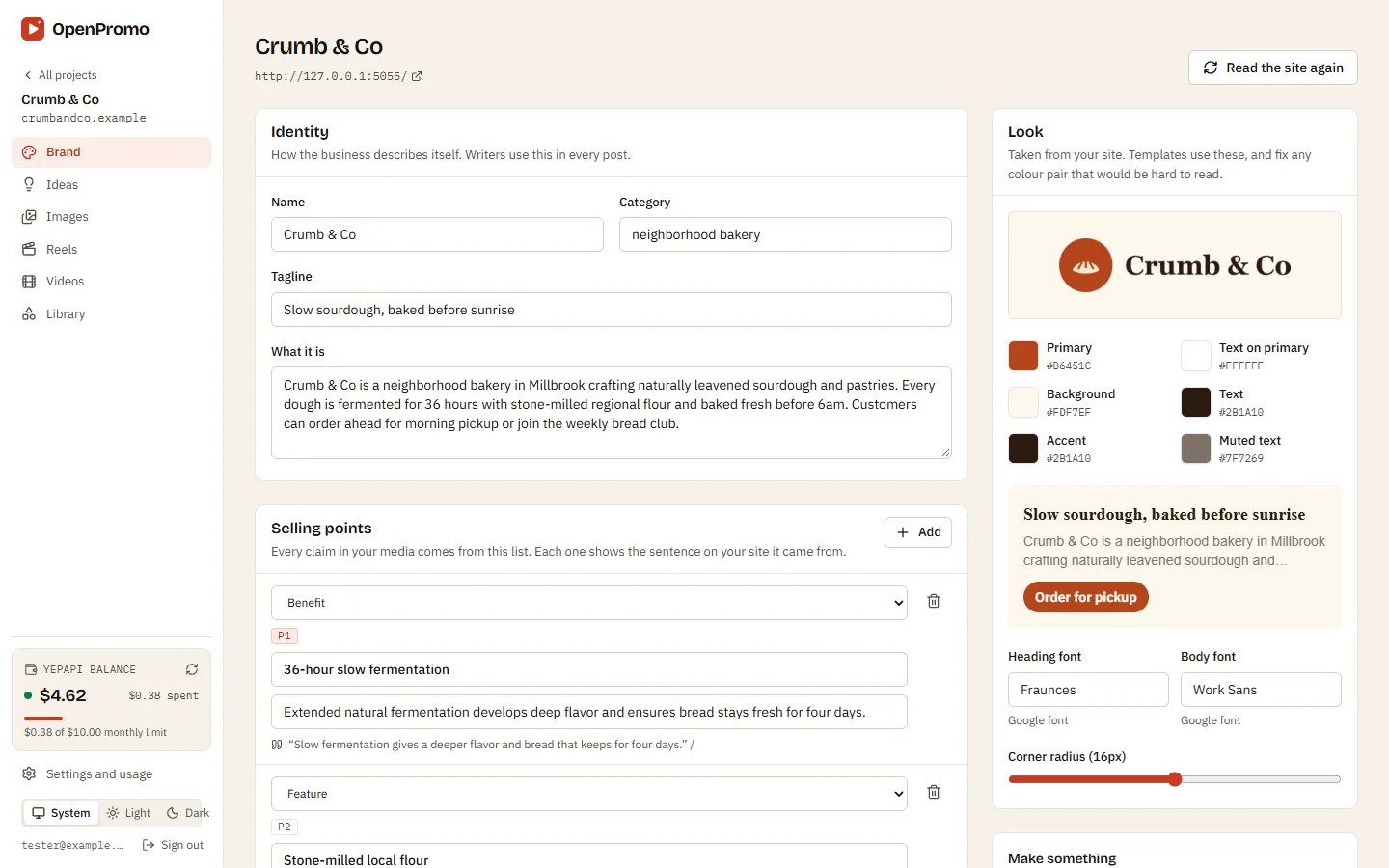
Check your brand profile
What you do, who it is for, your voice and selling points, each with the sentence it came from. Plus colors, fonts, logo and products. Edit anything.
- 3
Pick an idea
Post ideas with a hook, caption and hashtags, each based on your selling points. Click "Make it", or write your own brief.
- 4
Check, edit and render
Checks flag hype words, invented figures and missing calls to action. Edit with a live preview, then render images, carousels, reels or videos.
Examples
AI social media content generator examples
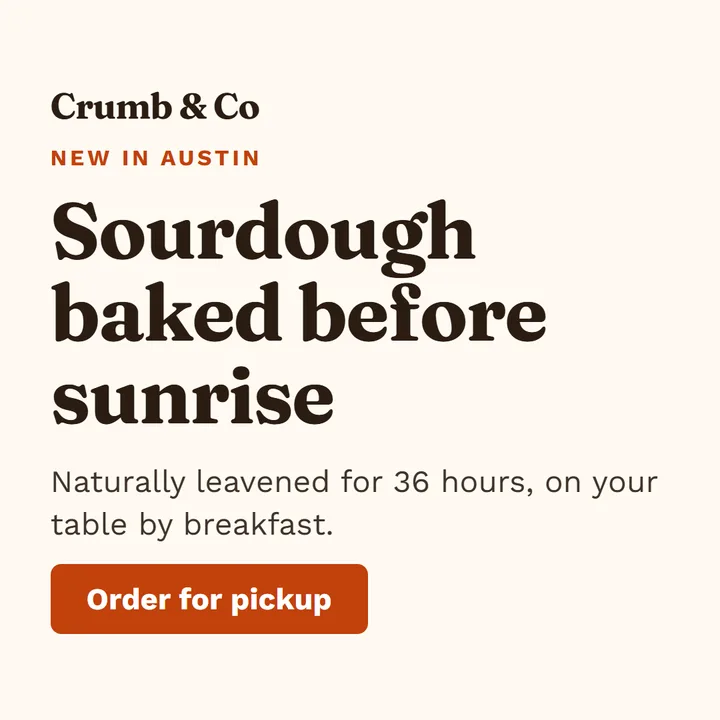
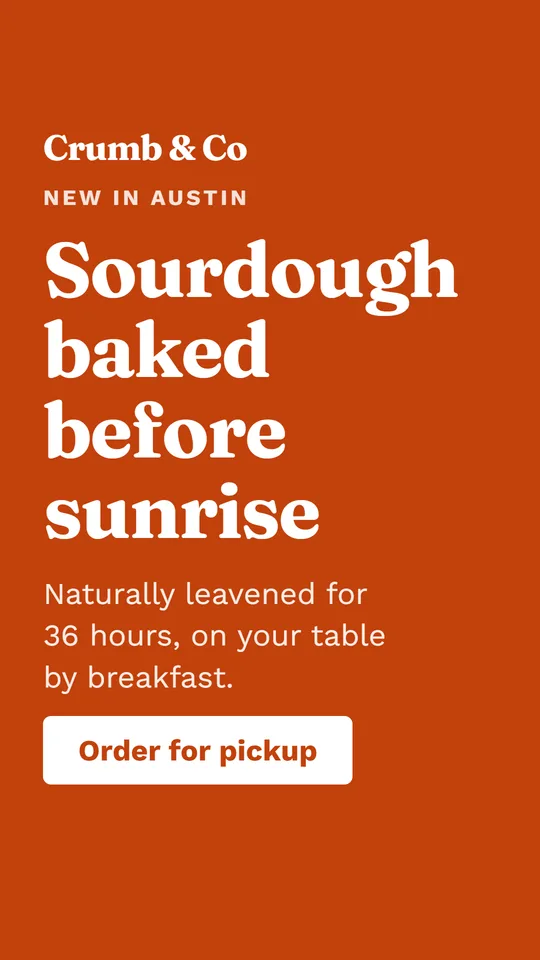
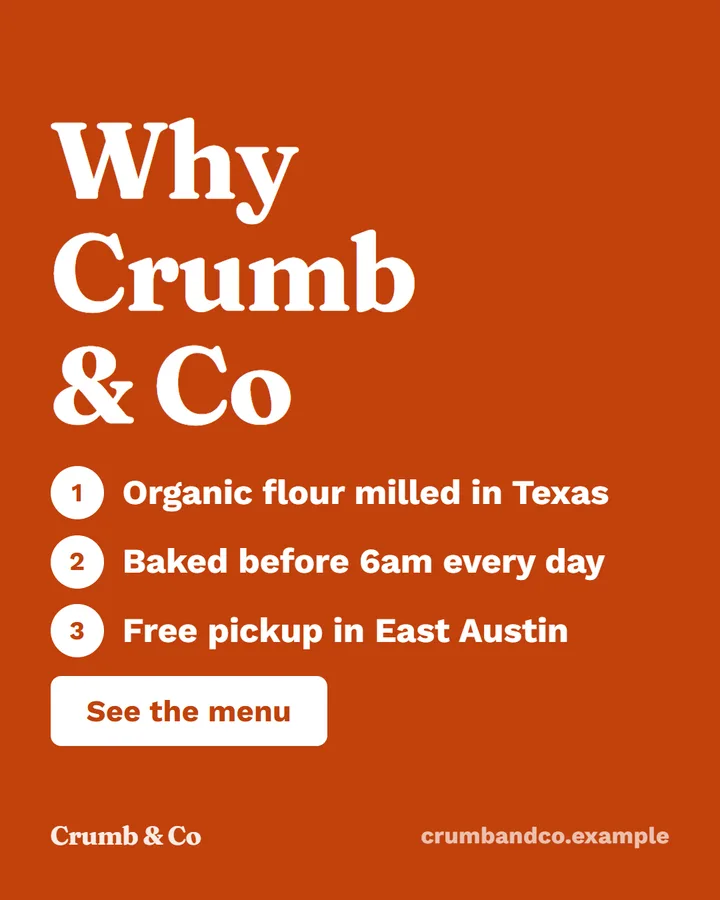
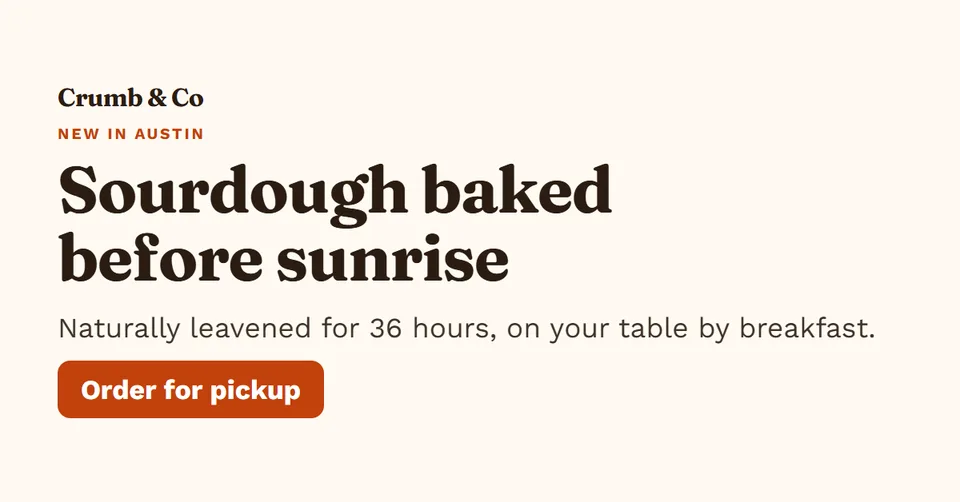
All made from one brand profile, for a fictional bakery. Text is real text in the brand’s fonts, so it stays sharp at every size.
Square post · 1:1 · 1080×1080 Portrait post · 4:5 · 1080×1350 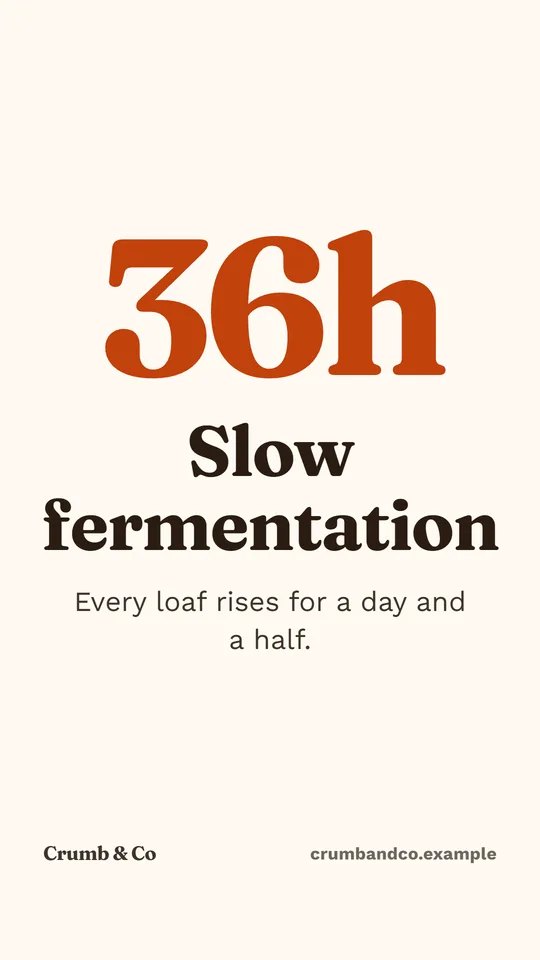
Story / reel · 9:16 · 1080×1920 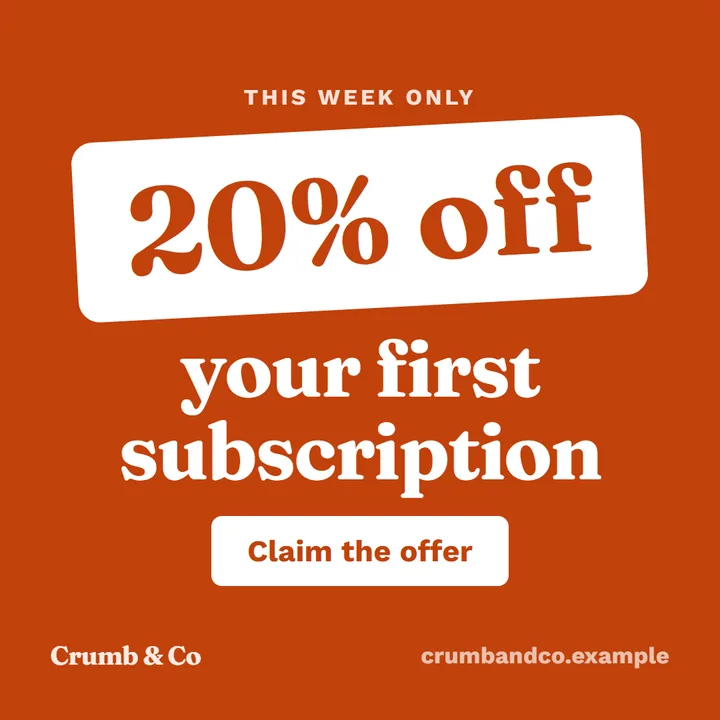
Square post · 1:1 · 1080×1080
Link / ad banner · 1.91:1 · 1200×628 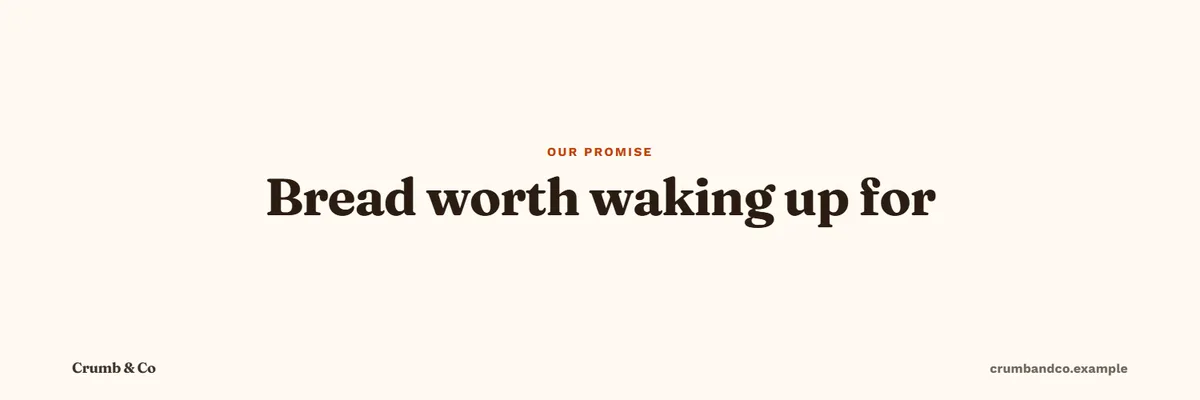
X header · 3:1 · 1500×500 
LinkedIn banner · 4:1 · 1584×396
What it makes
Images, carousels, reels and videos
Ten scene layouts in clean, bold and photo looks. A fit pass shrinks text until nothing overflows, and low-contrast color pairs are fixed for you.
Posts and stories
Square 1:1, portrait 4:5 and story 9:16 for Instagram, Facebook and LinkedIn.
Carousels
PNG slides for Instagram and a PDF for LinkedIn.
Banners
Link and ad banners, X headers and LinkedIn banners at exact sizes.
Reels
9:16 videos with a hook, voiceover, music and word-by-word captions.
Promo videos
16:9, 1:1 or 9:16 videos about your business, from your website.
Tutorials
One step per scene, from your own screenshots, narrated.
Looking for video? See the open-source AI video generator.
Agents and MCP
Marketing MCP server for your agent
Connect Claude, ChatGPT or Cursor in two minutes, then use the ready-made skills or just ask. Agents work from the same brand profile and the same spending limit as you.
› make a reel about our weekend offer for crumbandco.example ⏺ openpromo.get_brand() free · brand ready · 6 selling points · offer: 20% off a first subscription ⏺ openpromo.create_creation(type: "reel", brief: "Weekend offer: 20% off") 6 scenes · 27 s · hook: "Fresh sourdough, 20% off this weekend" checks: no errors · spent $0.04 Rendering will cost about $0.14 (voice 6 scenes, music). Go ahead?› yes⏺ openpromo.render_creation(creation_id: "…")✓ Reel ready: 1080×1920 MP4, poster and SRT. Spent $0.18 in total.
/brand-check
Read your website and tidy up the brand profile every tool builds from.
/content-plan
A month of post ideas from your selling points, with captions.
/social-posts
On-brand images and carousels for Instagram, LinkedIn and ads.
/promo-reel
A short vertical video with voiceover and captions for Reels, TikTok and Shorts.
/tutorial-video
A getting-started walkthrough of your product, narrated.
- ChatGPT
- Claude
- Claude Code
- Cursor
- VS Code
- Codex
- Gemini CLI
- OpenCode
- Windsurf
And any client that connects to an MCP server
Paste the prompt into your agent. It connects itself and checks the connection without spending anything.
Features
Every AI marketing tool feature
Each feature has its own page: what it does, examples and what it costs.
Brand kit generator
OpenPromo reads your website and builds a brand profile: what you do, who it is for, your voice, selling points, colors, fonts, logo and products.
Instagram post generator
Make Instagram, Facebook and LinkedIn posts in square 1:1, portrait 4:5 and story 9:16, from an idea or a short brief.
Carousel maker
Make Instagram carousels as PNG slides and LinkedIn carousels as a PDF, written from your brand profile.
Banner maker
Make link and ad banners (1200×628), X headers (1500×500) and LinkedIn banners (1584×396) from the same brand profile.
AI reel generator
Make 9:16 videos for Instagram Reels, TikTok and YouTube Shorts: a hook in the first two seconds, AI voiceover, music and word-by-word captions.
URL to video
Turn a website address into a narrated promo video in 16:9, 1:1 or 9:16, built from the brand profile OpenPromo reads from the site.
Product demo video maker
Make getting-started tutorials and product demos: one step per scene, from your own product screenshots, narrated.
Instagram caption generator
Get post ideas from your brand profile, each with a hook, caption and hashtags, and the selling points it is based on. Make any of them in one click.
You are in control
Why an open-source marketing tool
Closed tools decide where your brand and media live and what you pay each month. OpenPromo is built the other way round.
Open source, all of it
The app, the API, the renderer and the agent server are MIT licensed. Read every line, change what you need and keep your changes.
Your server, your data
Run it on your own computer or server with Docker. Brand profiles stay in your database and media files in your own folder.
No surprise bills
AI calls go to your own YepAPI key. Every call is logged with its price, and a monthly limit refuses any call that would cross it.
Real text, real claims
Text is always real text in your fonts, never drawn by an AI model. Figures that are not on your website are flagged before you render.
Self-host
Self-host your marketing tool
Everything the hosted app runs is in the repository. Start it on your own machine or server with Docker, and it is yours.
- One compose file: database, API with the renderer, dashboard and site
- Any machine with Docker and about 2 vCPU and 4 GB of memory
- Automatic HTTPS for your own domain
git clone https://github.com/duckduckdeploy/openpromo.git openpromo
cd openpromo
cp .env.example .env
# In .env, set two secrets:
#   AUTH_SECRET=     any 32+ random characters
#   ENCRYPTION_KEY=  output of: openssl rand -base64 32
docker compose up -d --build
# Dashboard http://localhost:3200 · site :3101 · API and MCP :4100
Your AI key
Start with $5 of free AI credit
The AI work in OpenPromo (reading your site, writing, voices, music and AI pictures) runs on your own YepAPI key. Sign up at YepAPI and get $5 in free credit, for a limited time. That is enough to try every tool.
- 1
Sign up at YepAPI
New accounts get $5 in free credit, for a limited time.
- 2
Copy your API key
It is on your YepAPI dashboard once you sign in.
- 3
Paste it into OpenPromo
In Settings. Set a monthly spending limit there too.
The free credit is YepAPI’s limited-time offer and may end. After it, you pay YepAPI per use at its price. OpenPromo logs every call with its cost, and a monthly limit caps what you spend. See pricing
FAQ
AI marketing tool FAQ
What is OpenPromo?
OpenPromo is an open-source AI marketing tool. You add your website, it builds a brand profile, and every tool uses that profile to make posts, carousels, banners, reels, promo videos and tutorials.
Is it one of the free AI tools for marketing?
The software is free: open source under the MIT license, and free to self-host. The hosted app costs nothing today. AI work runs on your own YepAPI key, so you pay YepAPI only for what you use. See pricing.
What does the AI do, and what does it not do?
AI reads your website, writes ideas, captions and scripts, and can make backdrop pictures, B-roll clips, voiceovers and music. It never draws your text: headlines and captions are real text set in your brand fonts by templates.
Can my AI agent use it?
Yes. OpenPromo has a marketing MCP server, a REST API and a Claude plugin with skills for brand checks, content plans, social posts, promo reels and tutorial videos.
Does it publish to social networks?
Not yet. You download the files with their captions and post them yourself or with your scheduler.
Your brand, your server, your media.
Start online in a minute, or run OpenPromo on your own server. It is open source either way.